 メディテック


カードプリンターを掃除したことがありますか?
2488カードプリンターのクリーニング頻度は?どのブランドをお使いですか?エボリス、マジカード、それともデータカード? 最後にカードプリンタをクリーニングしたのはいつだったか覚えていますか?もしそうでなければ、プリンタのクリーニングにもっと注意を払うべきです。
詳細を見る製品検索検索ポスト

Proper cleaning of the Zebra ZXP Series 3 Card Printer is essential for maintaining print quality, preventing card jams, and protecting the printhead and internal rollers. Zebra recommends regular cleaning as part of routine maintenance, especially when the printer displays a CLEAN PRINTER message or when print defects occur.
You should clean the printer when:
Regular cleaning is also recommended as preventive maintenance to extend printer life and maintain consistent output quality.
To properly clean the Zebra ZXP Series 3 printer, prepare the following:
⚠️ Important:
Only use approved cleaning cards and foam-tipped swabs. Never use sharp tools or compressed air inside the printer, as this may cause permanent damage.
This initiates the automated system cleaning process.
The printer must be free of cards and ribbon before cleaning continues.
This step removes dust and debris from the internal rollers and card path.
Feeder cleaning prevents misfeeds and card pickup issues.
If print quality issues persist, Zebra recommends cleaning the printhead separately.
⚠️ Caution:
Never scrape the printhead or use non-foam swabs, as this can permanently damage the printhead.
The printer is now ready for normal use.
Routine cleaning minimizes downtime and ensures reliable card printing performance.
Using high-quality, compatible cleaning supplies is essential for effective maintenance of the Zebra ZXP Series 3 Card Printer. MediTech offers a full range of Zebra-compatible cleaning cards and cleaning swabs designed to meet the printer’s cleaning requirements
1. MediTech Long Cleaning Card (ZXP Series 3 Compatible)
Learn more: ゼブラ 105912-912 互換クリーニングキット-メディテック
2. MediTech Feeder Cleaning Card (ZXP Series 3 Compatible)
MediTech Foam Cleaning Swabs (IPA Pre-Saturated)
Learn more: Self-Saturated IPA Cleaning Swab – 4.5’’-Meditech
Using MediTech-compatible cleaning cards and swabs helps ensure consistent print quality, reduces downtime, and extends the service life of the printer.
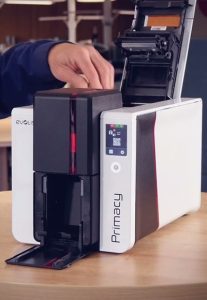
カードプリンターのクリーニング頻度は?どのブランドをお使いですか?エボリス、マジカード、それともデータカード? 最後にカードプリンタをクリーニングしたのはいつだったか覚えていますか?もしそうでなければ、プリンタのクリーニングにもっと注意を払うべきです。
詳細を見る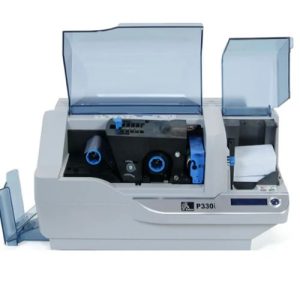
1000枚のカラーカード、または5000枚のモノクロカードを印刷すると、Zebra P330i LCDに「プリンタをクリーニングしています」と表示されます。Zebra P33iをクリーニングする方法は?
詳細を見る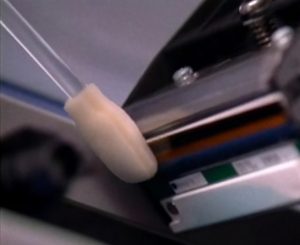
The print head is one of the most important components in your Zebra printer. Over time, dust, ribbon particles, and debris can accumulate, leading to streaks, faded text, or poor image quality. Cleaning the print head with a Snap Swab helps rest...
詳細を見る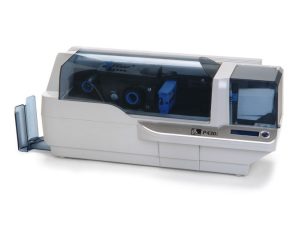
Keep your Zebra P430i & P330i printers in top condition with this easy step-by-step cleaning guide. Learn how to use Zebra cleaning cards and swabs to remove dust, protect the print head, prevent card jams, and extend your printer’s lifespan. Regu...
詳細を見る演算結果を入力する。
計算が間違っています。