 メディテック


How to Clean Zebra ZXP Series 3 Card Printer Properly
1208Learn how to clean the Zebra ZXP Series 3 card printer. Improve print quality, prevent card jams, and extend printer life with proper maintenance.
詳細を見る製品検索検索ポスト
Keeping your Zebra P430i or P330i card printer properly maintained is the key to producing sharp, professional ID cards and extending the life of your device. Over time, dust, card debris, and ribbon residue can accumulate inside the printer, leading to streaks, faded images, or even system errors. The good news is that Zebra printers are designed for easy maintenance using cleaning cards and swabs.
In this guide, we’ll walk you through the step-by-step cleaning process for Zebra P430i and P330i printers so you can keep your machine in peak condition.
Because card printers operate with high precision, even tiny amounts of dirt or residue can interfere with print quality. Regular cleaning ensures:
While your printer will prompt you when cleaning is due, building a routine maintenance schedule will help you avoid downtime and costly repairs.
If streaks or print issues remain after standard cleaning, manually clean the print head:
By following these steps, your Zebra P430i and P330i printers will continue to deliver clear, professional-grade ID cards with minimal interruptions.
For optimal performance, use Meditech’s Zebra Cleaning Kits, designed specifically for P430i & P330i models. Regular use will not only keep your printer spotless but also extend its overall service life.
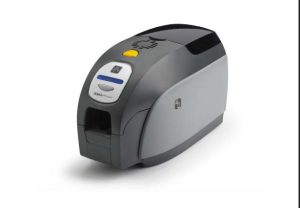
Learn how to clean the Zebra ZXP Series 3 card printer. Improve print quality, prevent card jams, and extend printer life with proper maintenance.
詳細を見る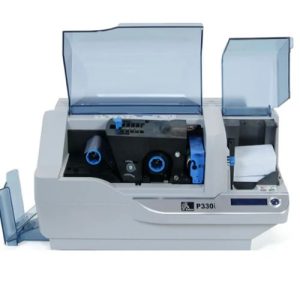
1000枚のカラーカード、または5000枚のモノクロカードを印刷すると、Zebra P330i LCDに「プリンタをクリーニングしています」と表示されます。Zebra P33iをクリーニングする方法は?
詳細を見る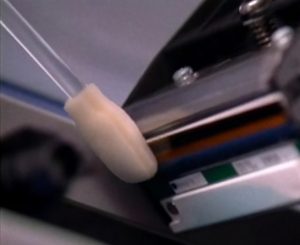
The print head is one of the most important components in your Zebra printer. Over time, dust, ribbon particles, and debris can accumulate, leading to streaks, faded text, or poor image quality. Cleaning the print head with a Snap Swab helps rest...
詳細を見るクリーニング綿棒の品質を確保するには、材料の品質だけでなく、クリーニング綿棒の生産ワークショップの環境を確認する方が良いです。清潔で、ほこりのない製造環境を保証するのは綿棒だけだからです。
詳細を見る2023年10月16日から20日まで、東京でCEATEC 2023が開催されます。MediTechもこの展示会に参加し、ブースK051(ホール4)で皆様にお会いします。MediTechは長年にわたり、革新的な洗浄剤の開発へのコミットメントで評価されてきました。
詳細を見るメディテック・リーダー・クリーニングカードは、スマートカードリーダー、POSクレジットカード・デビットカードリーダー、ATMカードリーダーなど、様々なカードリーダーから汚れを除去するために設計されています。この安全で効果的な製品は、他のクレジットカードリーダーやデビットカードリーダーと同じように挿入することができます。
詳細を見る
Dear Valued Partners and Customers, We would like to inform you of our holiday schedule for the China National Day 2025: During the holiday, our office, production facilities, and customer service will be temporarily closed. Please note...
詳細を見る演算結果を入力する。
計算が間違っています。