 Meditech



How to Clean Zebra ZXP Series 3 Card Printer Properly
3062Learn how to clean the Zebra ZXP Series 3 card printer. Improve print quality, prevent card jams, and extend printer life with proper maintenance.
Details bekijkenProduct zoekenZoek bericht
The print head is one of the most important components in your Zebra printer. Over time, dust, ribbon particles, and debris can accumulate, leading to streaks, faded text, or poor image quality. Cleaning the print head with a Snap Swab helps restore sharp, clear printing and prevents costly repairs.
Follow these simple steps to safely clean your Zebra printer head:
If print quality issues continue after cleaning the printer head with a Snap Swab, the issue may be related to:
In these cases, check the Zebra printer user manual for troubleshooting steps or contact Zebra customer support for professional assistance.
👉 For best results, we recommend using MediTech Snap Swabs, designed specifically for printer head cleaning. They are pre-saturated, easy to use, and safe for delicate print head elements.
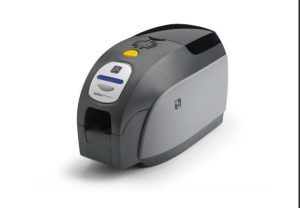
Learn how to clean the Zebra ZXP Series 3 card printer. Improve print quality, prevent card jams, and extend printer life with proper maintenance.
Details bekijken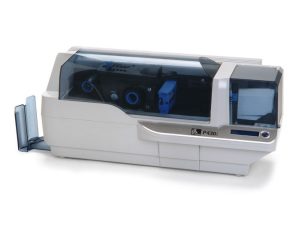
Keep your Zebra P430i & P330i printers in top condition with this easy step-by-step cleaning guide. Learn how to use Zebra cleaning cards and swabs to remove dust, protect the print head, prevent card jams, and extend your printer’s lifespan. Regu...
Details bekijken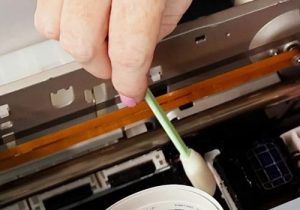
MediTech Main Swab Products Brief Introduction. Meditech cleanroom swabs include three main classes: cleanroom foam swabs, cleanroom polyester swabs, cleanroom microfiber swabs. And all swabs can be made of antistatic. If you have special design r...
Details bekijkenDoor lock can easily build up dust, dirt, oxides on magnetic head, and sensors, it will cause misread and read failure. It may effect your service quality and reputation. Customers always hate waiting, they may annoyed on that. IPA Pre-saturated C...
Details bekijkenVoer het rekenkundige resultaat in.
Onjuiste berekening, voer opnieuw in.