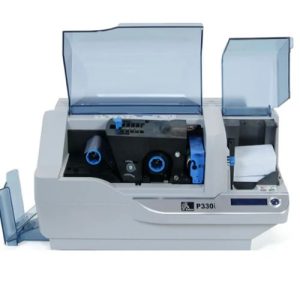
Regular maintenance of your Primacy Lamination card printer ensures optimal performance, extends its lifespan, and guarantees high-quality printed cards. One of the most important maintenance tasks is cleaning the lamination module with a special adhesive cleaning card. Follow the instructions below to properly clean your printer.
Maintenance Accessory Needed
- Special adhesive cleaning card
We recommend using the MediTech Adhesive Cleaning Card, designed for professional printer cleaning and trusted by businesses worldwide.
Step-by-Step Guide to Cleaning the Primacy Lamination Module
- Prepare the cleaning card
Take the special adhesive cleaning card and carefully remove the two protective films from the front and back. - Check the lamination unit
Ensure there is no film inside the lamination unit. If present, remove it gently before proceeding. - Launch the cleaning wizard
Open Evolis Premium Suite® and start the lamination module cleaning wizard. - Insert the cleaning card
Place the adhesive cleaning card into the opening located above the output hopper on the left-hand side of the printer. - Automatic cleaning process
The card will automatically pass through the printer. The repeated movement inside the lamination module provides a deep clean, removing dust particles and film residue from the transport rollers. - Dispose of the used card
Once the cleaning cycle is complete, the card will be ejected. Collect it and discard properly. - Reinstall the film
Place the lamination film back into the unit and make sure it is positioned correctly. - Close the unit
Shut the lamination unit door securely. - Printer ready to use
Your Primacy Lamination card printer is now fully cleaned and ready for operation.
Why Regular Cleaning Is Important
- Prevents dust and film buildup
- Maintains consistent print quality
- Extends the life of your printer and consumables
- Reduces downtime and maintenance costs
By following this cleaning procedure, you ensure that your Primacy Lamination card printer continues to deliver professional results.
 Meditech