 메디테크
메디테크


Zebra P330i 카드 프린터를 청소하는 방법?
2120컬러 카드 1000장 또는 흑백 카드 5000장을 인쇄한 후 Zebra P330i LCD에 "프린터 청소 중"이라는 메시지가 표시되며, 좋은 인쇄 결과를 얻으려면 가능한 한 빨리 프린터를 청소해야 합니다. 그렇다면 Zebra P33을 청소하는 방법은 다음과 같습니다.
세부 정보 보기제품 검색게시물 검색

Proper cleaning of the Zebra ZXP Series 3 Card Printer is essential for maintaining print quality, preventing card jams, and protecting the printhead and internal rollers. Zebra recommends regular cleaning as part of routine maintenance, especially when the printer displays a CLEAN PRINTER message or when print defects occur.
You should clean the printer when:
Regular cleaning is also recommended as preventive maintenance to extend printer life and maintain consistent output quality.
To properly clean the Zebra ZXP Series 3 printer, prepare the following:
⚠️ Important:
Only use approved cleaning cards and foam-tipped swabs. Never use sharp tools or compressed air inside the printer, as this may cause permanent damage.
This initiates the automated system cleaning process.
The printer must be free of cards and ribbon before cleaning continues.
This step removes dust and debris from the internal rollers and card path.
Feeder cleaning prevents misfeeds and card pickup issues.
If print quality issues persist, Zebra recommends cleaning the printhead separately.
⚠️ Caution:
Never scrape the printhead or use non-foam swabs, as this can permanently damage the printhead.
The printer is now ready for normal use.
Routine cleaning minimizes downtime and ensures reliable card printing performance.
Using high-quality, compatible cleaning supplies is essential for effective maintenance of the Zebra ZXP Series 3 Card Printer. MediTech offers a full range of Zebra-compatible cleaning cards and cleaning swabs designed to meet the printer’s cleaning requirements
1. MediTech Long Cleaning Card (ZXP Series 3 Compatible)
Learn more: Zebra 105912-912 호환 청소 키트-메디텍
2. MediTech Feeder Cleaning Card (ZXP Series 3 Compatible)
MediTech Foam Cleaning Swabs (IPA Pre-Saturated)
Learn more: Self-Saturated IPA Cleaning Swab – 4.5’’-Meditech
Using MediTech-compatible cleaning cards and swabs helps ensure consistent print quality, reduces downtime, and extends the service life of the printer.
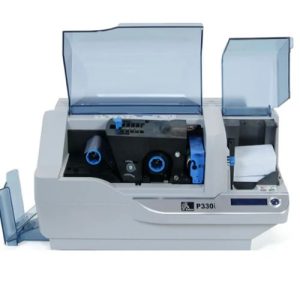
컬러 카드 1000장 또는 흑백 카드 5000장을 인쇄한 후 Zebra P330i LCD에 "프린터 청소 중"이라는 메시지가 표시되며, 좋은 인쇄 결과를 얻으려면 가능한 한 빨리 프린터를 청소해야 합니다. 그렇다면 Zebra P33을 청소하는 방법은 다음과 같습니다.
세부 정보 보기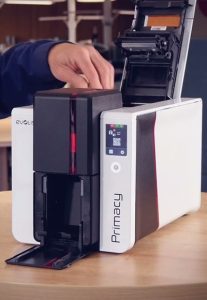
카드 프린터를 얼마나 자주 청소하시나요? 사용 중인 브랜드는 무엇입니까? 카드 프린터를 마지막으로 청소한 것이 언제인지 기억하십니까? 그렇지 않다면 프린터 청소에 더 많은 주의를 기울여야 합니다.
세부 정보 보기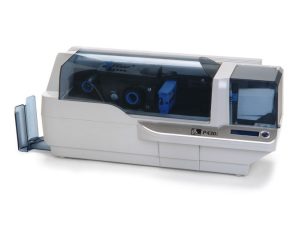
Keep your Zebra P430i & P330i printers in top condition with this easy step-by-step cleaning guide. Learn how to use Zebra cleaning cards and swabs to remove dust, protect the print head, prevent card jams, and extend your printer’s lifespan. Regu...
세부 정보 보기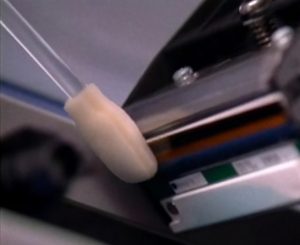
The print head is one of the most important components in your Zebra printer. Over time, dust, ribbon particles, and debris can accumulate, leading to streaks, faded text, or poor image quality. Cleaning the print head with a Snap Swab helps rest...
세부 정보 보기산술 결과를 입력합니다.
계산이 잘못되었습니다. 다시 입력하세요.