 Meditech



How to Clean a Camera: A Complete Step-by-Step Guide
Keeping your camera clean is essential for maintaining image quality and protecting the device from long-term damage. Dust, fingerprints, and smudges can easily accumulate on the lens, body, and most importantly — the sensor. This guide explains how to safely clean your camera using the right tools
Tools You Need for Safe Camera Cleaning
Before you begin, gather these essential cleaning tools:
- Soft cleaning wipes
- Air blower
- Lens cleaning solution
- Microfiber cloth
- Sensor cleaning swabs for internal sensor care
- Camera cleaning brush
Using professional-grade tools protects your equipment and prevents accidental damage.
Step 1: Clean the Camera Exterior
Start with the parts that accumulate dirt most often — the body and grip.
- Power off the camera.
- Use a soft brush or blower to remove surface dust.
- Wipe the exterior with a gentle Reinigungstuch or a slightly damp microfiber cloth.
Avoid excessive moisture and never spray liquid directly onto the camera.
Step 2: Clean the Camera Lens
Your lens is the most important surface affecting image clarity.
- Use a blower to remove loose dust.
- Gently wipe in circular motions using a microfiber cloth.
- For stubborn smudges, apply lens solution to the cloth (not the lens).
A clean lens ensures sharp, crisp images without blur or flare.
Step 3: Clean the Camera Viewfinder
The viewfinder can accumulate oil and dust, affecting visibility.
- Use Reinigungstücher to gently clean the eyepiece.
- Avoid pressing too hard to prevent scratches.
This improves the shooting experience and viewing accuracy.
Step 4: Clean the Camera Sensor (Safely)
Sensor cleaning requires caution. Dust on the sensor causes dark spots on photos, especially at small apertures.
How to Clean the Sensor Properly
- Switch to your camera’s “Sensor Cleaning Mode.”
- Aim the camera downward and use a blower to remove loose dust.
- If dust remains, use a Sensor Cleaning Swab designed for your sensor size.
- Add a drop of sensor cleaning fluid (if required).
- Gently swipe across the sensor from one side to the other.
Using high-quality Sensor Cleaning Swabs ensures safe and streak-free results.
How Often Should You Clean Your Camera?
- Exterior and lens: once a week or after dusty shooting environments
- Sensor: only when dust appears in your photos
- Viewfinder: as needed
Regular maintenance keeps your camera performing at its best.
Verwandte Empfehlungen
Kartenleser-Reinigungskarte für alle Kartenleser, ATM/POS/Türschloss und Kartendrucker
36741. Einführung: Diese generische CR80 Kartenleser-Reinigungskarte wurde entwickelt, um Schmutz, magnetische Oxide, Öle, Lotionen und andere Verunreinigungen sicher und effektiv von allen Arten von verdeckten Magnet-, Foto- und optischen Sensoren auf allen...
Details anzeigen
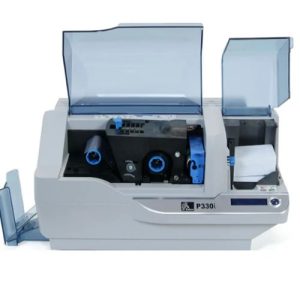
Wie wird der Zebra P330i Kartendrucker gereinigt?
4056Nach dem Druck von 1000 Farbkarten oder 5000 Monochrom-Karten zeigt das LCD-Display des Zebra P330i "Drucker reinigen" an, und Sie sollten den Drucker so schnell wie möglich reinigen, um gute Druckergebnisse zu gewährleisten. Dann ist dies ein Problem, wie man den Zebra P33...
Details anzeigen
Welche Marke von Reinigungstupfer ist gut?
3552Die Verwendung von Reinigungstupfern in der industriellen Produktion nimmt zu, und die Reinigungstupfer von Meditech können Hunderttausende von Fällen erreichen. Da unsere Reinigungstupfer in der ganzen Welt verkauft werden, hat sich der Export von Waren jeden Tag fortgesetzt. Einige Fr...
Details anzeigen