
제품 검색게시물 검색

Evolis 카드 프린터를 청소하는 방법?

업계 뉴스 뉴스 3598

Evolis 카드 프린터 청소 방법을 숙지하는 것은 매우 중요합니다. 리본을 교체할 때는 카드 프린터를 청소하는 것이 좋습니다.
다음 단계 Evolis 카드 프린터 청소:
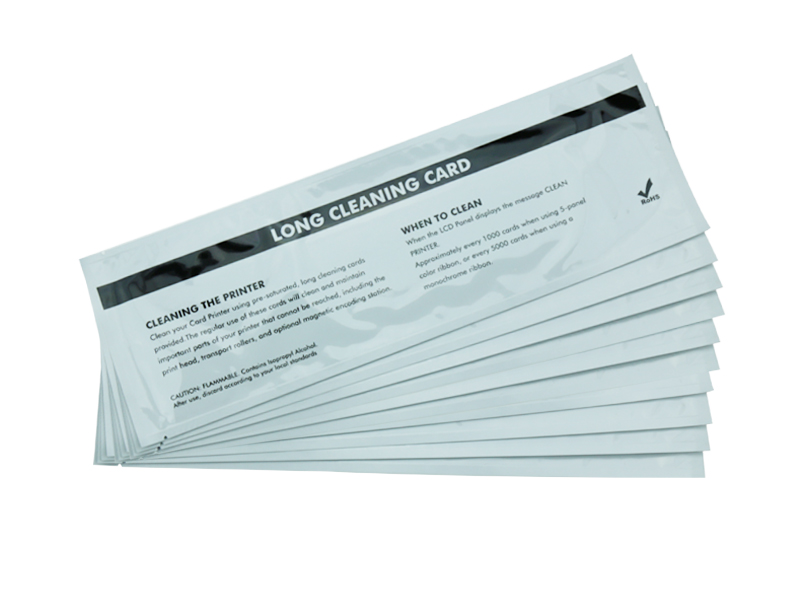
1. 먼저, 메디텍을 준비해야 합니다. Evolis와 호환되는 클리닝 키트구성품: 청소 카드 1개, 미리 포화된 IPA 면봉(또는 청소용 펜) 1개, 청소용 롤러가 필요할 수 있습니다.
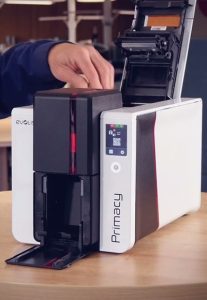
2. 프린터 덮개를 열고 리본을 제거합니다.
3. 청소 카드 포장을 찢고 청소 카드를 호퍼에 넣습니다.
4. 4. '인쇄 환경설정' 창을 엽니다.
5. "도구" 옵션을 선택하고 "프린터 자체 청소" 버튼을 클릭합니다.
6. 청소가 완료되면 청소 카드가 자동으로 꺼집니다.
7. 면봉 포장을 찢습니다.
8. 면봉을 프린트헤드를 가로질러 좌우로 부드럽게 움직입니다.
9. 프린트헤드가 마를 때까지 2분간 기다립니다.
10. 리본 스풀을 다시 삽입하고 프린터 덮개를 닫습니다.
프린터를 일관되고 정기적으로 청소하면 인쇄 품질을 극대화하고 프린터 주요 부품의 수명을 연장할 수 있습니다.

이전: 다음:

관련 권장 사항

  • 파고 프린터 클리닝 키트

    3228

    Using our years of experience selling and servicing card printers, ID Card Group has put together a set of printer cleaning kits that work as well as the name-brand kits, but cost a lot less! Meditech Cleaning kit works with most Fargo card printe...

    세부 정보 보기
  • 전자 분야의 청소 면봉

    2797

    What is cleaning swab? Swabs what effect is there? This series of questions are puzzling us. In order to understand the swabs, we take swabs used in electronic field as an example, to help you understand the cleaning swab. What is cleaning swab? A...

    세부 정보 보기
  • 통화 카운터 청소 방법

    3079

    This is a cleaning instruction for a common cash count. 1.Turn off the cash count. 2.Remove the hopper and the feeder. 3.Use a brush to remove the dust on the roles and sensors. 4.Remove the remaining dust with dust spray remover. 5.Close the feed...

    세부 정보 보기
더 확장하세요!

산술 결과를 입력합니다.

계산이 잘못되었습니다. 다시 입력하세요.