 메디테크
메디테크


How to Clean Zebra ZXP Series 3 Card Printer Properly
2811Learn how to clean the Zebra ZXP Series 3 card printer. Improve print quality, prevent card jams, and extend printer life with proper maintenance.
세부 정보 보기제품 검색게시물 검색
The print head is one of the most important components in your Zebra printer. Over time, dust, ribbon particles, and debris can accumulate, leading to streaks, faded text, or poor image quality. Cleaning the print head with a Snap Swab helps restore sharp, clear printing and prevents costly repairs.
Follow these simple steps to safely clean your Zebra printer head:
If print quality issues continue after cleaning the printer head with a Snap Swab, the issue may be related to:
In these cases, check the Zebra printer user manual for troubleshooting steps or contact Zebra customer support for professional assistance.
👉 For best results, we recommend using MediTech Snap Swabs, designed specifically for printer head cleaning. They are pre-saturated, easy to use, and safe for delicate print head elements.
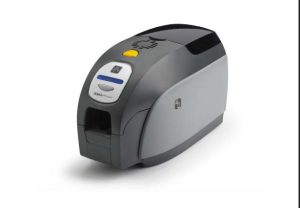
Learn how to clean the Zebra ZXP Series 3 card printer. Improve print quality, prevent card jams, and extend printer life with proper maintenance.
세부 정보 보기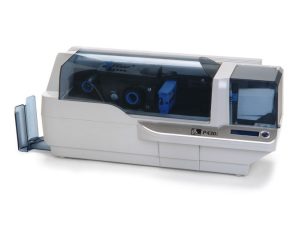
Keep your Zebra P430i & P330i printers in top condition with this easy step-by-step cleaning guide. Learn how to use Zebra cleaning cards and swabs to remove dust, protect the print head, prevent card jams, and extend your printer’s lifespan. Regu...
세부 정보 보기
Description: Thermal Printer Cleaning Pen Barrel is filled with 99.9% Electronic Grade IPA Solution. It is designed to effectively remove the Ink R...
세부 정보 보기
Evolis T Card Cleaning Kit for cleaning transport rollers Meditech Evolis Cleaning kit Model: CK-ACL004 Meditech Evolis Card Printer Cleaning Kit CK-ACL004 Compatible with Evolis ACL004 Cleaning Kit
세부 정보 보기산술 결과를 입력합니다.
계산이 잘못되었습니다. 다시 입력하세요.