 Meditech


How to Clean Zebra ZXP Series 3 Card Printer Properly
1631Learn how to clean the Zebra ZXP Series 3 card printer. Improve print quality, prevent card jams, and extend printer life with proper maintenance.
Ver detallesBuscar productoBuscar puesto
The print head is one of the most important components in your Zebra printer. Over time, dust, ribbon particles, and debris can accumulate, leading to streaks, faded text, or poor image quality. Cleaning the print head with a Snap Swab helps restore sharp, clear printing and prevents costly repairs.
Follow these simple steps to safely clean your Zebra printer head:
If print quality issues continue after cleaning the printer head with a Snap Swab, the issue may be related to:
In these cases, check the Zebra printer user manual for troubleshooting steps or contact Zebra customer support for professional assistance.
👉 For best results, we recommend using MediTech Snap Swabs, designed specifically for printer head cleaning. They are pre-saturated, easy to use, and safe for delicate print head elements.
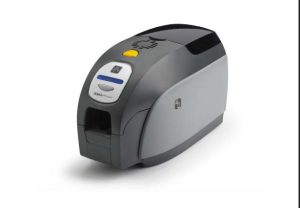
Learn how to clean the Zebra ZXP Series 3 card printer. Improve print quality, prevent card jams, and extend printer life with proper maintenance.
Ver detalles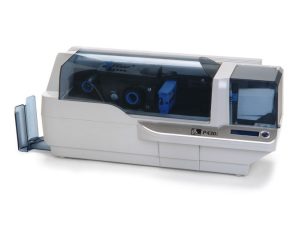
Keep your Zebra P430i & P330i printers in top condition with this easy step-by-step cleaning guide. Learn how to use Zebra cleaning cards and swabs to remove dust, protect the print head, prevent card jams, and extend your printer’s lifespan. Regu...
Ver detallesGracias a nuestros años de experiencia en la venta y el mantenimiento de impresoras de tarjetas, ID Card Group ha creado un conjunto de kits de limpieza de impresoras que funcionan tan bien como los kits de marca, ¡pero cuestan mucho menos! El kit de limpieza funciona con varias impresoras de tarjetas Evolis, i...
Ver detallesEl uso a largo plazo de los cigarrillos electrónicos no está limpio, lo que puede causar la obstrucción del tubo, afectar el humo, e incluso causar daños. La limpieza regular puede prolongar la vida útil.antes de limpiar, tomar un cigarrillos electrónicos especiales Meditech limpieza...
Ver detallesClean Swab está fabricado con un tejido de poliéster de doble capa que no contiene contaminantes orgánicos como silicona, amidas o ésteres de ftalato.
Ver detallesSi desea aceptar el mejor blasón de hisopos de limpieza para la electrónica, que cobran para acceder a la cuenta que está agravando para limpiar.hisopos de limpieza son generalmente una mejor aceptable para la limpieza de la electrónica, pero la...
Ver detallesIntroduzca el resultado aritmético.
Cálculo incorrecto, vuelva a introducirlo.