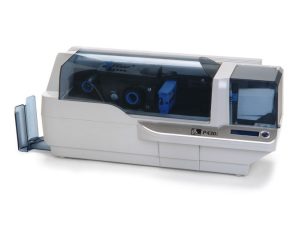
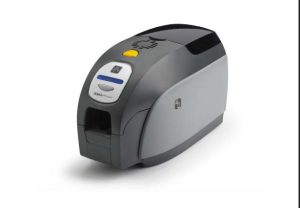
The print head is one of the most important components in your Zebra printer. Over time, dust, ribbon particles, and debris can accumulate, leading to streaks, faded text, or poor image quality. Cleaning the print head with a Snap Swab helps restore sharp, clear printing and prevents costly repairs.
Step-by-Step Guide: How to Clean Zebra Printer Head with Snap Swab
Follow these simple steps to safely clean your Zebra printer head:
- Turn the Printer Off
Always power off your Zebra printer before cleaning to avoid damage. - Remove the Ribbon
Lift the carriage and carefully take out the print ribbon. - Prepare the Snap Swab
Squeeze the plastic stick of the cleaning swab until the liquid flows into the foam tip. - Clean the Print Head
Gently move the moistened swab side to side across the print head elements. Avoid pressing too hard to protect the delicate surface. - Allow to Dry
Wait a few minutes until the print head is completely dry. - Reinsert the Ribbon and Restart
Place the ribbon spools back into the printer, close the carriage, and turn the printer on.
What If the Problem Persists?
If print quality issues continue after cleaning the printer head with a Snap Swab, the issue may be related to:
- Worn-out parts that need replacement
- Incorrect ribbon installation
- Mechanical problems within the printer
In these cases, check the Zebra printer user manual for troubleshooting steps or contact Zebra customer support for professional assistance.
👉 For best results, we recommend using MediTech Snap Swabs, designed specifically for printer head cleaning. They are pre-saturated, easy to use, and safe for delicate print head elements.
 Meditech