 メディテック


How to clean Evolis Zenius printhead
The printhead is the most critical and delicate component of your Evolis Zenius card printer. Proper printhead maintenance not only ensures sharp, vibrant card printing but also extends the lifespan of the printer and reduces costly downtime.
Over time, card dust, adhesive residue, and environmental contaminants can accumulate on the printhead, causing print defects such as white lines, missing colors, blurred images, and inconsistent print quality. Regular Evolis Zenius printhead cleaning helps prevent these issues and keeps your printer operating at peak performance.
Why Is Evolis Zenius Printhead Cleaning Important?
Every PVC card that passes through the printer generates microscopic particles. These particles gradually build up on the printhead and internal printer components.
A dirty printhead can cause:
- Horizontal white lines on printed cards
- Missing color segments
- Faded or blurry images
- Uneven print density
- Premature printhead wear
- Increased printer maintenance costs
Routine cleaning removes contaminants before they damage the printhead, helping maintain consistent print quality and extending printer life.
Signs Your Evolis Zenius Printhead Needs Cleaning
Watch for the following symptoms:
White Horizontal Lines
One of the most common indicators of a contaminated printhead is the appearance of thin white lines running across printed cards.
Missing Colors
If certain color panels are not printing correctly, dirt or residue may be preventing proper heat transfer.
Poor Image Quality
Blurry text, faded graphics, or inconsistent print results often indicate that the printhead requires cleaning.
Frequent Printer Errors
Dust accumulation can interfere with normal printer operation and lead to unexpected maintenance warnings.
How Often Should You Clean the Evolis Zenius Printhead?
For most card-printing environments, regular cleaning should be performed according to printer usage and maintenance alerts.
Evolis recommends routine cleaning at scheduled intervals to maintain warranty coverage and protect the printhead. The printer’s cleaning indicator typically alerts users when maintenance is required.
If your printer operates in dusty environments or processes high volumes of cards, more frequent cleaning may be necessary.
Step-by-Step Guide to Clean the Evolis Zenius Printhead
Before starting, prepare:
- IPA cleaning swab または printhead cleaning pen
- Lint-free cleaning wipes
- Evolis-compatible cleaning kit
Step 1: Turn Off the Printer
Power off the printer and disconnect the power cable.
Step 2: Open the Printer Cover
Carefully open the printer cover and locate the printhead assembly.
Step 3: Avoid Touching the Printhead
Never touch the printhead surface directly with your fingers. Oils from your skin can permanently damage the printhead.
Step 4: Clean the Printhead
Using an IPA cleaning swab or cleaning pen, gently wipe the printhead from one side to the other using smooth motions.
Do not scrub aggressively or use excessive force.
Step 5: Allow Complete Drying
Wait until the alcohol has completely evaporated before restarting the printer and printing cards. Evolis recommends allowing sufficient drying time after cleaning.
Best Cleaning Products for Evolis Zenius Printhead Maintenance
Using high-quality cleaning supplies is essential for safe and effective maintenance.
Best Cleaning Products for Evolis Zenius Printhead Maintenance
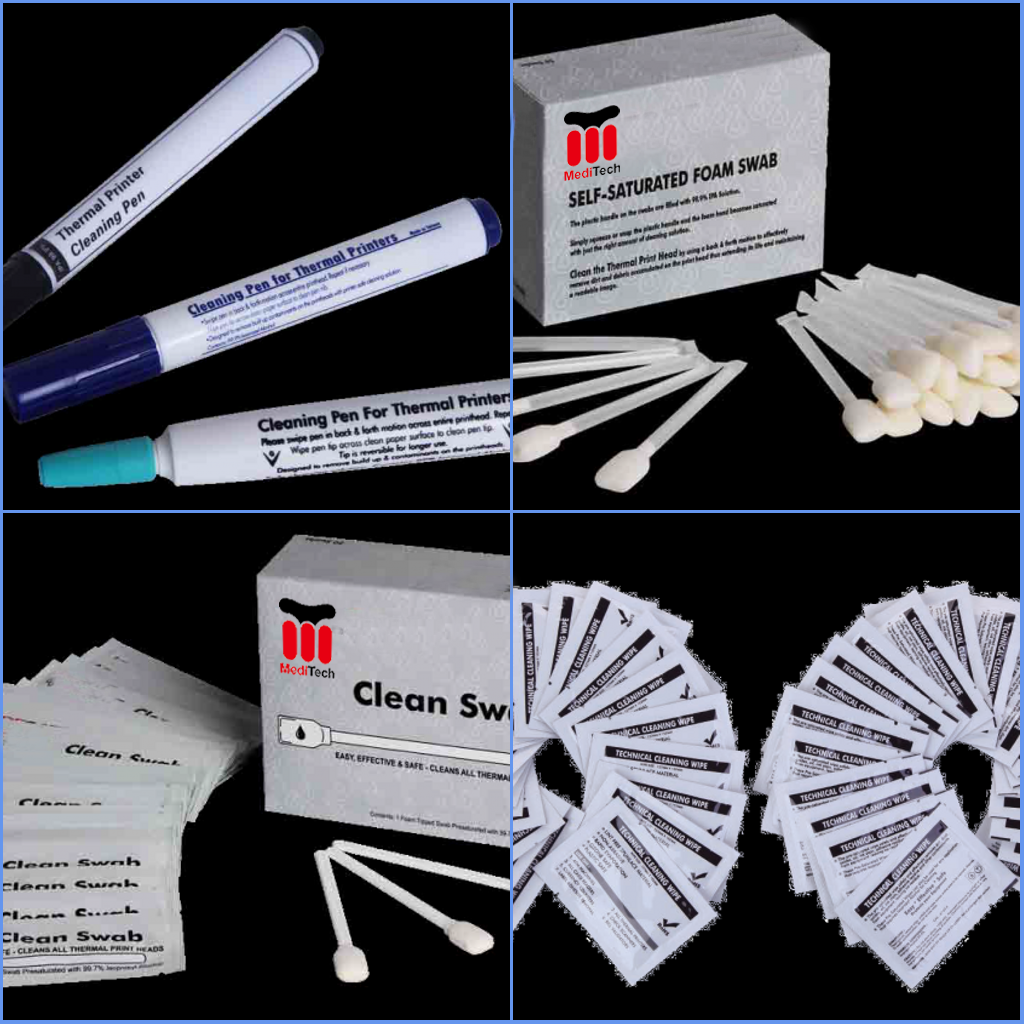
Using high-quality cleaning supplies is essential for safe and effective maintenance.Meditech specializes in professional printer cleaning products and compatible maintenance kits for card printers worldwide.
Advantages include:
- High-purity 99.9% IPA cleaning solutions
- Reliable compatibility with Evolis printers
- OEM and private-label services
- Strict quality control standards
- Cost-effective alternative to original cleaning supplies
Whether you need printhead cleaning swabs, cleaning pen, adhesive cleaning cards, or complete Evolis-compatible cleaning kits, Meditech provides dependable maintenance solutions that help maximize printer performance and lifespan.
Explore Meditech’s complete range of Evolis-compatible cleaning products: エボリス互換クリーニングキット-メディテック
関連推奨品

ホテル・ドアロック・クリーニング・キット
3148多くのスターホテルや高級ホテルでは、部屋に入るのにカードをスワイプしなければならない。しかし、ホテルのカードロックを一定期間使用すると、実際のロックの感度が大幅に低下していることに気づくだろう。
詳細を見る
How to Clean a Camera: A Complete Step-by-Step Guide
2392Learn how to clean a camera safely and effectively using professional tools like Cleaning Wipes and Sensor Cleaning Swabs. This step-by-step guide covers lens care, sensor cleaning, and maintenance tips to keep your camera in top condition.
詳細を見る