Keeping your camera clean is essential for maintaining image quality and protecting the device from long-term damage. Dust, fingerprints, and smudges can easily accumulate on the lens, body, and most importantly — the sensor. This guide explains how to safely clean your camera using the right tools
Tools You Need for Safe Camera Cleaning
Before you begin, gather these essential cleaning tools:
Using professional-grade tools protects your equipment and prevents accidental damage.
Step 1: Clean the Camera Exterior
Start with the parts that accumulate dirt most often — the body and grip.
- Power off the camera.
- Use a soft brush or blower to remove surface dust.
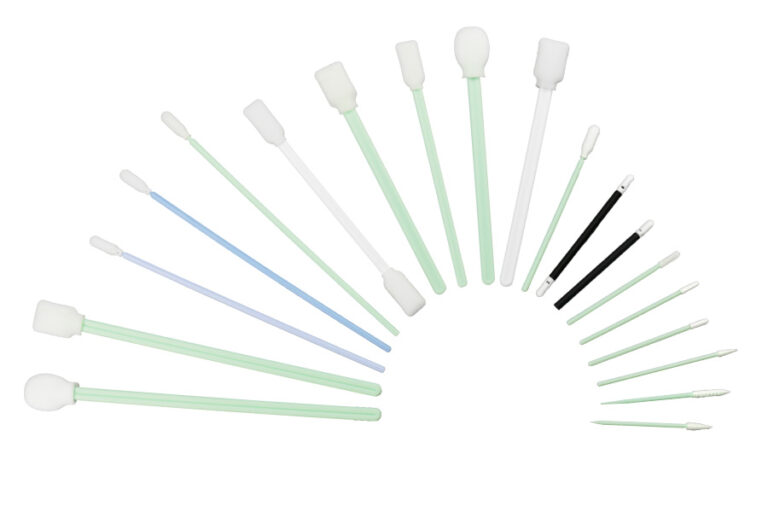
- Wipe the exterior with a gentle Toalhete de limpeza or a slightly damp microfiber cloth.
Avoid excessive moisture and never spray liquid directly onto the camera.
Step 2: Clean the Camera Lens
Your lens is the most important surface affecting image clarity.
- Use a blower to remove loose dust.
- Gently wipe in circular motions using a microfiber cloth.
- For stubborn smudges, apply lens solution to the cloth (not the lens).
A clean lens ensures sharp, crisp images without blur or flare.
Step 3: Clean the Camera Viewfinder
The viewfinder can accumulate oil and dust, affecting visibility.
- Use Toalhetes de limpeza to gently clean the eyepiece.
- Avoid pressing too hard to prevent scratches.
This improves the shooting experience and viewing accuracy.
Step 4: Clean the Camera Sensor (Safely)
Sensor cleaning requires caution. Dust on the sensor causes dark spots on photos, especially at small apertures.
How to Clean the Sensor Properly
- Switch to your camera’s “Sensor Cleaning Mode.”
- Aim the camera downward and use a blower to remove loose dust.
- If dust remains, use a Sensor Cleaning Swab designed for your sensor size.
- Add a drop of sensor cleaning fluid (if required).
- Gently swipe across the sensor from one side to the other.
Using high-quality Sensor Cleaning Swabs ensures safe and streak-free results.
How Often Should You Clean Your Camera?
- Exterior and lens: once a week or after dusty shooting environments
- Sensor: only when dust appears in your photos
- Viewfinder: as needed
Regular maintenance keeps your camera performing at its best.
 Meditech