Search productSearch post

Thermal Printhead Cleaning Assistant – Polishing Film

News 2816

Thermal Printhead Cleaning Assistant – Polishing Film

Clean the printer print head products are clean pen, clean foam swab, clean cloth and new products such as polishing film

This polishing film is made of matte material, according to the different printer models can be customized into different sizes of polishing film

Polishing film has two colors: white and blue. According to your favorite can choose your favorite color!

At present we have three sizes: 3 * 6,4 * 6,4 * 8 etc., in the current market size 4 * 6 is the most popular.
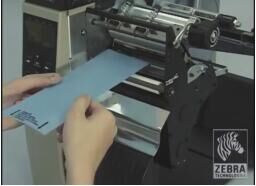
Meditech polishing film

The Meditech production purification sweat sticks, cleaning suits, a wide variety of styles, as long as you need, we will be able to meet you!

We are direct manufacturers, not only good quality, price concessions, and service Ye Hao! Choose we will not let you down

The prev: The next:

Related recommendations

  • Cleaning swabs wholesale manufacturers

    2617

    Cleaning swab’s application in life is very widespread, not only medical, industrial, personal care, but also in the usual places can also be used to cleaning swab. Therefore, the cleaning swab’s market potential is very large , and a friend on se...

    View details
  • Life must have -IPA-M3 cleaning wipe

    3015

    Life must have -IPA-M3 cleaning wipe In life, we always need a product - IPA-M3 cleaning cloth, especially in the hot summer, we should always have a few pieces of cleaning wipe For the working class, dust, etc. will appear at any time in the desk...

    View details
  • Shopping Tips of Cleaning Swabs

    3286

    Cleaning swabs, also call it the clean swabs, swabs, purified cleanroom swab, anti-static clean swabs, sponge/foam head cleaning swab, etc., which are often used industrial cleaning consumables. They are mainly used for: 1. The chip, microprocesso...

    View details
  • Digital Check TS240 Cleaning Procedure

    2952

    1. With the deposit application or ScanLite launched, hold down the shift key and press the ‘Reset’ button (or unplug and plug back in the power supply). This will start the scanner’s cleaning / diagnostic mode program. 2. Select the ‘Clean’ tab a...

    View details
Expand more!

Enter the arithmetic result.

Incorrect calculation, please re-enter.