 Meditech


Cleaning swabs for Epson , Roland Printers
2763Foam cleaning swabs for Epson , Roland PrintersThese swabs are good for solvent inks as well as aqueous dye inks Close celled foamLow...
View detailsSearch productSearch post
| Issue | Example | Solution |
| Print is too light |   | 1.Printer may need cleaning 2.Increase color intensity 3.Ribbon may be old or defective; replace a new ribbon 4.Increase head resistance. |
| Spotty on barcode | 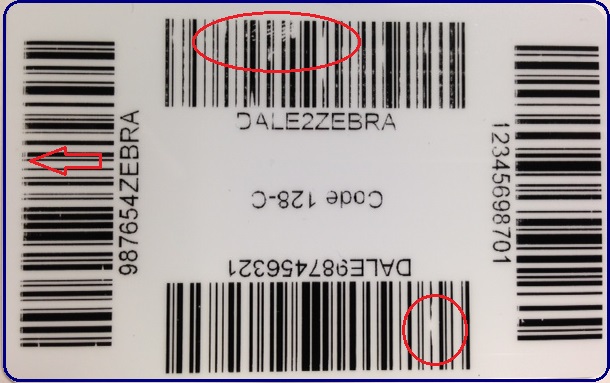 | 1.Printer may need cleaning 2.Cards or transport roller have contamination. Use cleaning cards. 3.Monochrome settings may need adjustment. 4.Increase head resistance. |
| White or colored spots on cards | 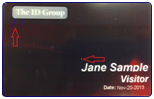 | 1.Cards or print head have contamination. Use cleaning cards. 2.Spots may be shown due to dirty on transport roller. Transport roller may need cleaning. |
| Yellow spots | 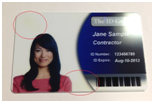 | This may caused by oil residue on the transport roller. Use a cleaning card to clean the transport roller. |
| White horizontal lines |  | 1.Dust or particles are stuck to the printhead. Use a Cleaning Card to clean printer or use a Cleaning Pen or Cleaning Swab to clean printhead manually. 2.Printhead has damaged elements and needs to be replaced. |
| Blurry letters or images | 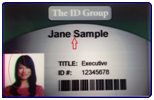 | Card may not be traveling properly due to dirty rollers. This disturbs the timing for when the color panels on the ribbon lay down on the card as it prints. Run a cleaning procedure. |
Foam cleaning swabs for Epson , Roland PrintersThese swabs are good for solvent inks as well as aqueous dye inks Close celled foamLow...
View detailsThermal Printhead Cleaning Assistant - Polishing Film Clean the printer print head products are clean pen, clean foam swab, clean cloth and new products such as polishing film This polishing film is made of matte material, according to the d...
View detailsOpen the printer cover.Remove the ribbon from the printer.Close the cover and check it has clicked shut.Open the card feeder and remove the cards.Take a new T-shaped cleaning card supplied by Evolis and open the sachet.Press the pushbutton on...
View detailsMulti-function cleaning wipe -IPA-M3 The use of cleaning wipe is very wide ,not only can be used for card printers,thermal printers to wipe the print head,machine body,but also can be used to wipe the phone,computer screen and so on. In addition ...
View detailsEnter the arithmetic result.
Incorrect calculation, please re-enter.