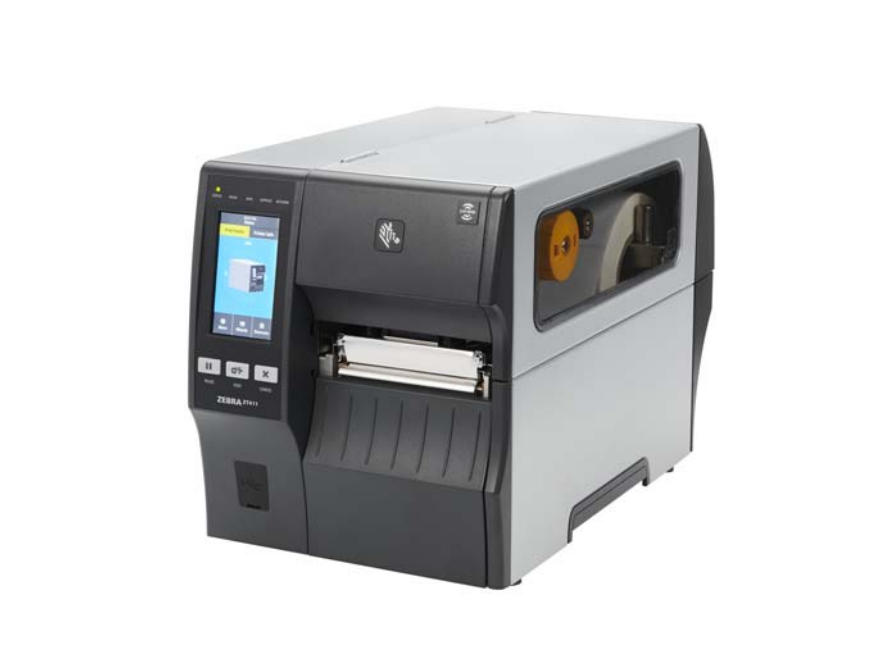
Regular maintenance is key to keeping your Zebra ZT411 and ZT421 printers running smoothly. Over time, dust, ribbon residue, and label adhesive can build up on the printhead and platen roller, leading to poor print quality and shortened component lifespan. This blog post covers the correct cleaning schedule and step-by-step procedure recommended by Zebra.
Why Cleaning Your ZT411/ZT421 Is Important
Thermal printers like the Zebra ZT411 and ZT421 rely on precise heat transfer. When the printhead or platen roller is dirty, you may notice:
Faded or missing print areas
Streaky or uneven labels
Barcodes that fail to scan correctly
Frequent label jams or misalignment
Routine maintenance not only improves print quality but also extends the lifespan of your printhead and platen roller — saving you from costly replacements.
Recommended Cleaning Schedule
Zebra recommends cleaning your printer components according to usage:
Component
Cleaning Method
Frequency
Printhead
IPA Swab or Cleaning Card
After every ribbon or media roll
Platen Roller (Standard)
IPA Swab
After every roll
Linerless Platen Roller
Sticky side of linerless label (no alcohol)
After every roll
Media & Ribbon Sensors
Compressed air
Every roll
Tear Bar / Peel Bar
IPA Swab
Monthly
🧼 Tip: Use MediTech’s 99% Isopropyl Alcohol (IPA) Cleaning Swabs for safe, residue-free cleaning. Each swab is pre-saturated with high-purity IPA, ideal for removing adhesive, dust, and ink buildup.
How to Clean the Printhead and Platen Roller
Step 1: Prepare for Cleaning
Open the media door.
Allow the printhead to cool (it may be hot after use).
Power off the printer for safety and discharge static electricity by touching the metal printer frame.
Step 2: Remove Media and Ribbon
Lift the printhead-open lever upward.
Remove any loaded media or ribbon to access the printhead surface.
Step 3: Clean the Printhead
Use a Zebra-approved cleaning swab or a lint-free swab dipped in 99.7% isopropyl alcohol.
Gently wipe the brown strip on the printhead from end to end.
Allow the solvent to evaporate completely before continuing.
Step 4: Clean the Platen Roller
For standard (white) rollers: Rotate manually and clean thoroughly using the same swab.
For linerless (dark brown) rollers: Do not use alcohol or swabs—lightly touch the roller surface with the sticky side of a linerless label to lift debris.
Step 5: Reload and Resume Printing
Reload your media and ribbon, close the printhead assembly, and lock it in place.
Close the media door and press PAUSE to resume operation.
The printer may feed or calibrate automatically.
Best Practices for Long-Term Maintenance
Always use high-quality media and ribbons to minimize debris.
Avoid harsh cleaning agents or abrasive materials.
Store your printer in a dust-free, temperature-controlled environment.
Regularly check for buildup in the media path and sensors.
Common Signs It’s Time to Clean
Barcodes fail to scan correctly.
Print appears faded, uneven, or has missing sections.
Labels feed improperly or drift out of alignment.
“Printhead needs cleaning” warning appears on the display.
When these issues occur, follow the cleaning steps above before seeking service.
Conclusion
Maintaining your Zebra ZT411 or ZT421 printer doesn’t just keep prints looking sharp — it reduces downtime, prevents costly repairs, and extends printhead life. By following Zebra’s recommended cleaning procedures, you’ll ensure your industrial printers operate at peak performance day after day.
We are the professional production manufacturers of cleaning swab , so when the customer in the wholesale purchase of cleaning swab, the communication between the two sides is the most focus on cleaning prices keep negotiations, now we have to sol...
Meditech-PS714 is a ESD Cleanroom microfiber swab for cleaning broad surfaces and flat areas. Its laundered, knitted polyester head is extremely clean. A long, rigid handle and large internal head paddle provide firm support. The Swab is widely re...
Environmental protection is an urgent goal of modern China, which needs to be done and insists on for the past few years. We should start from ourselves bit by bit. Even a small part has its environmental protection aspect.&nbs...
This is a cleaning instruction for a common cash count. 1.Turn off the cash count. 2.Remove the hopper and the feeder. 3.Use a brush to remove the dust on the roles and sensors. 4.Remove the remaining dust with dust spray remover. 5.Close the feed...
 Meditech