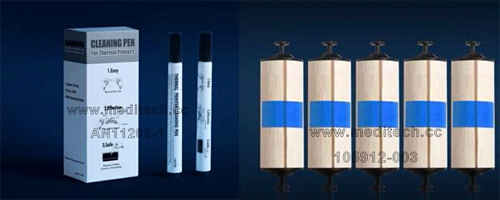
How to clean thermal printer
Thermal printers worked by heating up the coating on the label or melting the ink on the ribbon, it can easily build up contaminant on the printer head, lead to a poor printing.
So it is recommended to clean your thermal printer every time you change your label.
You can use cleaning pens, cleaning swabs or cleaning cards to do the cleaning process.
1.Using cleaning pens or cleaning swabs for cleaning
First, turn off the printer before cleaning.
Open the printer lid.
To clean the print head, let the print head cool for one minute. Rub cleaning pen or clean swab across the print head for a few times.
Let the print head to dry for one minute.
Close the printer lid.
2.Using cleaning cards for cleaning
First, turn off the printer before cleaning.
Open the printer lid.
Remove the media.
Put the cleaning card into the path.
Close the clamshell, pull the cleaning card out.
Repeat if necessary.
Close the printer lid.
Regularly clean your thermal printer can help you reduce the maintenance cost, reduce printing errors, prolong the equipment life.
 Meditech